Public wording · fictional data · narrow conclusions
How to test a mood app's privacy without sharing a real entry
You can learn useful things from a privacy policy, app settings, and a few visible tests. The careful part is separating what you observed from what the test cannot prove.
Published 7 August 2026 · 8 minute read · By the Vibbrancy team
This guide is published by the Vibbrancy team, which makes a mood-tracking app. It is not an independent audit, certification, privacy grade, legal assessment, or security test. Its purpose is narrower: help you ask the same eight concrete questions of any mood app, including ours, without exposing a real person's mood or journal history.
Use a fictional entry such as 6/10 · calm · demo walk. Do not type, paste, upload, screenshot, or share real mood notes, health information, account details, notifications, contact names, faces, or somebody else's data. If the app cannot be tested safely without real information, stop rather than widening the experiment.
Before you start
- Record the app name, platform, version, and date privately.
- Open the current privacy policy and the app-store privacy or data-safety page.
- Use only fictional content and remove it when the test is finished.
- Write “not clear” when the available wording does not answer a question.
- Describe the exact setup instead of generalising to every device or future version.
1. Can you use the core check-in without an account?
Begin from a fresh or signed-out state if that is practical. Check whether the app lets you make a basic fictional entry before requesting an email address, social login, or other account. Record what feature you actually reached. “I made one check-in without an account” is more precise than “the app is anonymous.”
2. Does the policy say where entries are stored?
Look for plain wording about storage on the device, a company server, a cloud provider, or optional sync. Note whether the explanation distinguishes the mood entry itself from diagnostics, backups, account records, support messages, and store-level data. If the answer is scattered across several documents, keep those sources and dates together.
3. Are analytics and advertising trackers described?
Search the policy for analytics, advertising, crash reporting, diagnostics, SDKs, and third parties. The useful question is not whether a document uses the word “anonymous,” but what is collected, for which purpose, by whom, and whether a choice exists. A policy answer is published evidence; it does not independently verify the implementation.
4. Which permissions are requested, and when?
Review the app's operating-system permissions and note whether a request appears only when you use a related feature. Decline one optional permission if the app and your device make that safe, then check what still works. A permission being available does not show how it is used; the product explanation and the observed request both matter.
5. Can one core entry be made in airplane mode?
Turn on airplane mode before creating the fictional entry, confirm that Wi-Fi and mobile data are off, and try only the smallest core action. If it succeeds, you observed that the tested action did not need a connection at that moment. It does not prove that nothing is sent when the connection returns, that every feature works offline, or that no server is ever used.
6. Can you export a useful copy?
With only fictional data present, request an export if the app offers one. Check the file type, which fields are included, whether it opens without proprietary software, and whether the documentation explains any omissions. One export shows what that tested file contained; it does not establish that every internal record is included.
7. Can you remove an entry and request deletion?
Delete the fictional entry and observe the visible result. Separately, find the account or data-deletion instructions if an account exists. Look for a retention explanation, exceptions, and a contact route. A screen disappearing is not proof that every backup, diagnostic record, or legally retained record vanished immediately.
8. Can optional sync stay off?
If the app offers sync, check whether it is clearly optional, what provider or account it uses, and how to disable it. Confirm only the setting you can see. Do not infer the entire data flow from a toggle label; compare the setting with the current documentation.
Free browser checklist
Keep the eight questions beside your evidence
The Mood App Privacy Test runs in your browser and does not submit the answers. You can also download a blank printable or reusable carousel and vertical-video pack. Use synthetic examples and review any generated card before sharing it.
Free reuse pack
Share the observation boundary, not a privacy grade
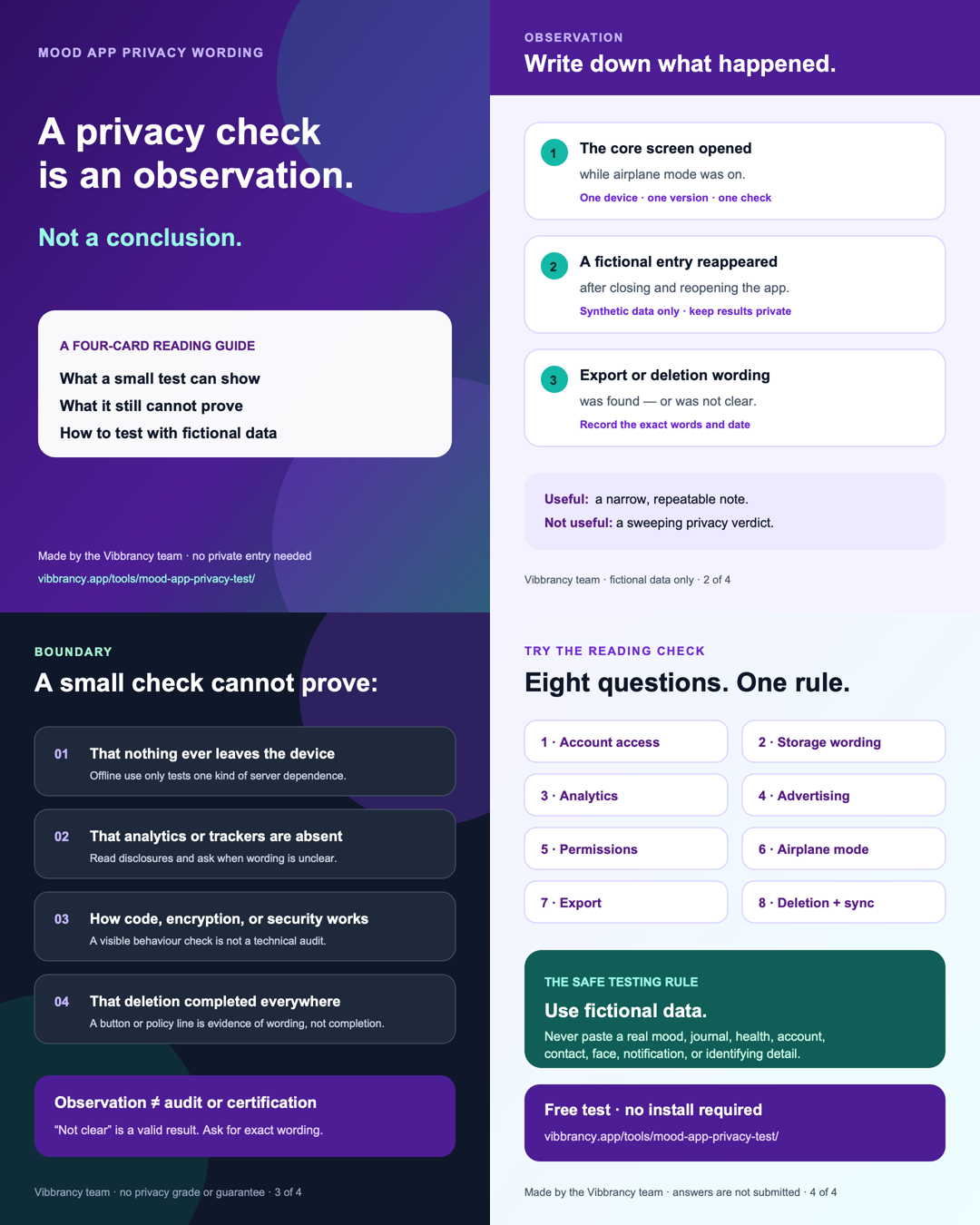
This four-card carousel helps a reviewer separate a visible test result from the larger conclusion it cannot support. It includes editable SVGs, 1080 × 1350 PNGs, caption, alt text, and publication rules. The Vibbrancy team made the pack; reuse it only with that affiliation visible.
The cards contain no completed checklist answers or private entries. Use fictional data for any demonstration and do not present an observation as an audit, certification, privacy grade, security conclusion, proof, or guarantee.
How to write the result without overstating it
Keep each result in three parts: what you checked, what you observed, and what remains unknown. For example: “On Android, version X, I created one fictional entry with airplane mode enabled. The entry appeared in the app. This does not show what happens after reconnection or how other features use the network.”
That boundary is not a weakness. It makes the observation reproducible and gives the app developer a specific correction route if the public explanation is unclear or outdated. Ask for clarification or critique, not praise, and disclose any affiliation when you publish or contact a developer.